
monday.com New Features - How to Stay Aligned Across Projects
Cross-project dependencies let you link tasks across multiple project boards, giving you a clear view of how different projects connect and depend on each other. This feature helps manage complex workflows, keeping teams aligned and on track. With tools to visualize dependencies and resolve conflicts, projects are planned and executed more efficiently.
Set Cross-Project Dependencies
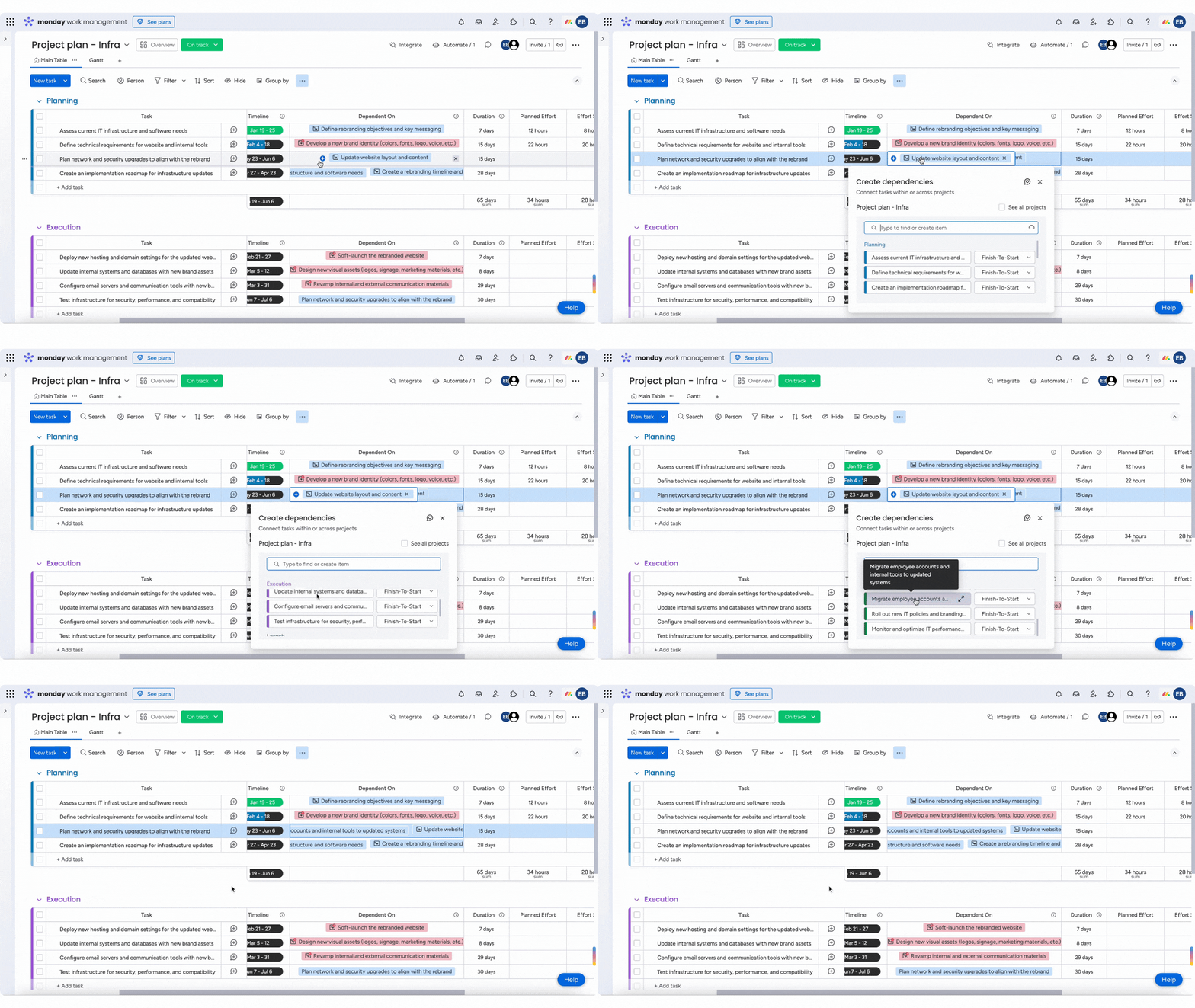
To define a cross-project dependency, open the relevant task’s "Dependent On" column—which is pre-built in your project board—and choose a specific task.
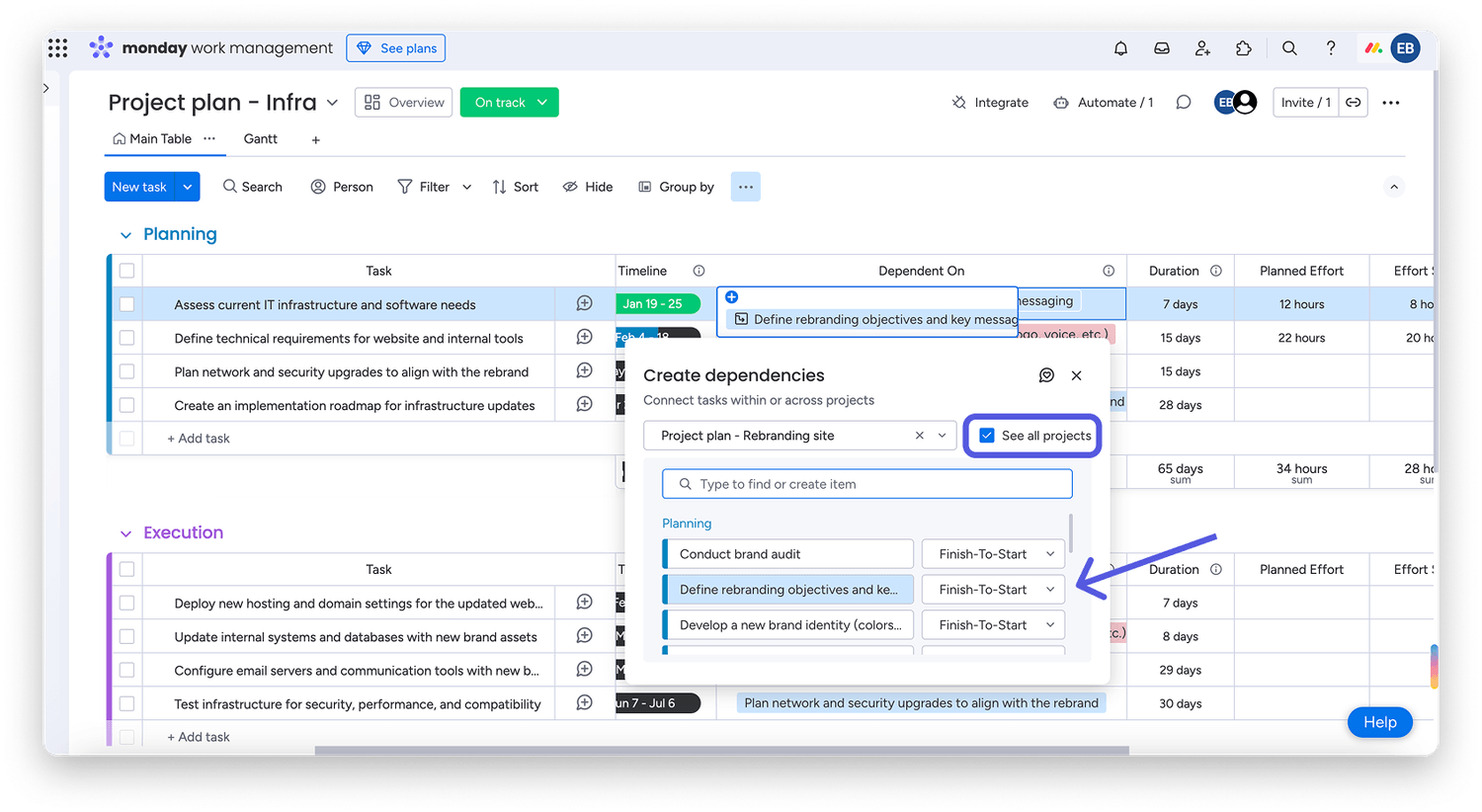
By default, you'll see tasks from the current project board, but if you need to link tasks across multiple projects, check the "See all projects" box to expand your search. Here, you can also specify the dependency type (FS, SS, FF, SF) for more precise planning.
Note: Only main projects will appear in the dropdown list. It is currently not possible to use cross-project dependencies on private or shareable projects.
Be sure to set timelines for all dependent tasks across projects, as this will determine any potential scheduling conflicts.
Track Cross-Project Dependencies
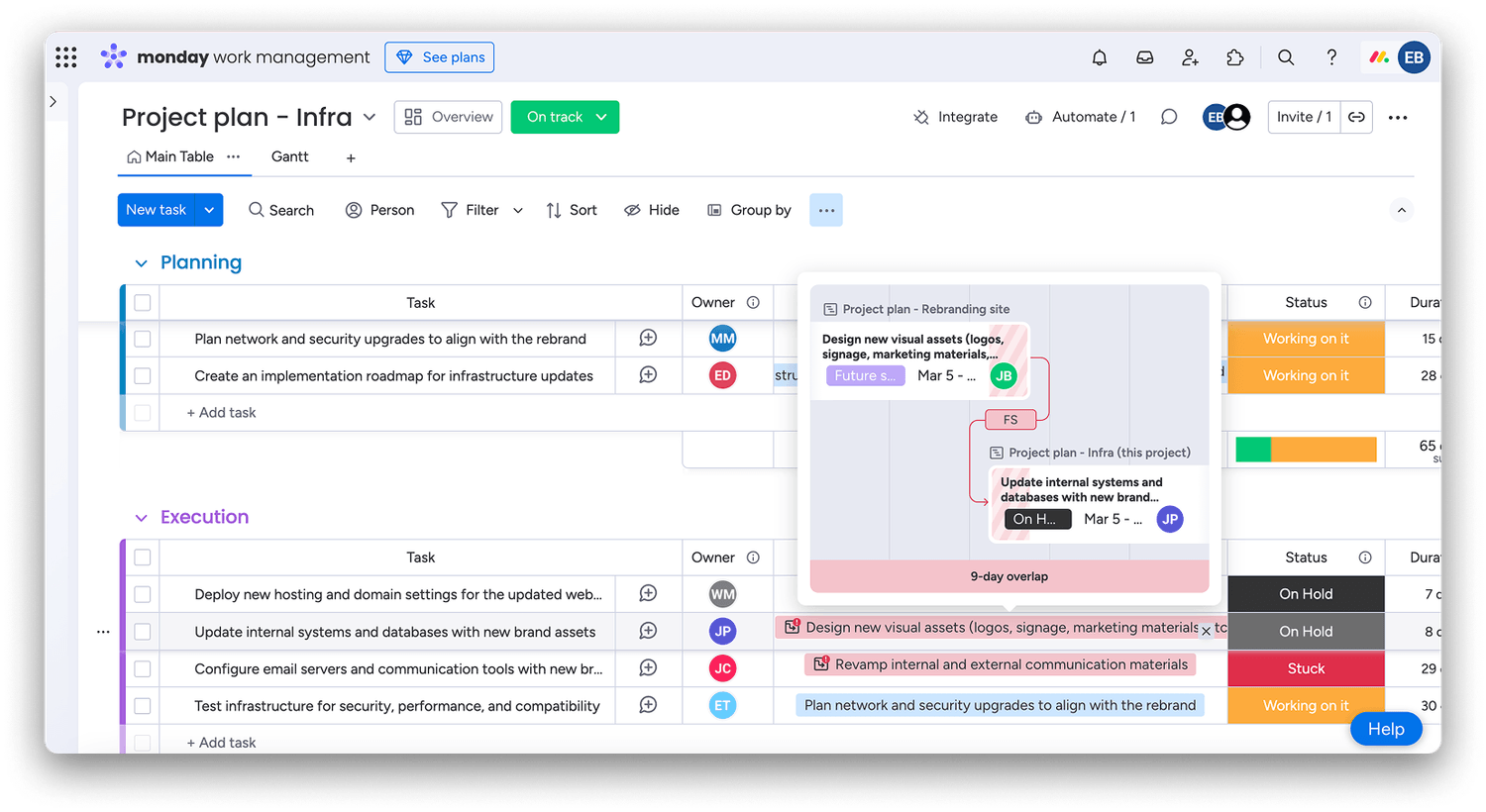
Easily visualize dependencies right from your project board. Hover over a task to reveal a detailed view of its linked dependencies, including the project board name, task details, owner, status, timeline, dependency type, and any overlapping schedules:
For a broader view, open the project's Gantt view to see all cross-project dependencies in a single timeline.
Identify and mitigate conflicts
If a dependent task in another project moves or overlaps with your current task's timeline, you'll get a visual indication directly in the Gantt view. Tasks without conflicts will appear in black, while those with issues will be highlighted in red.
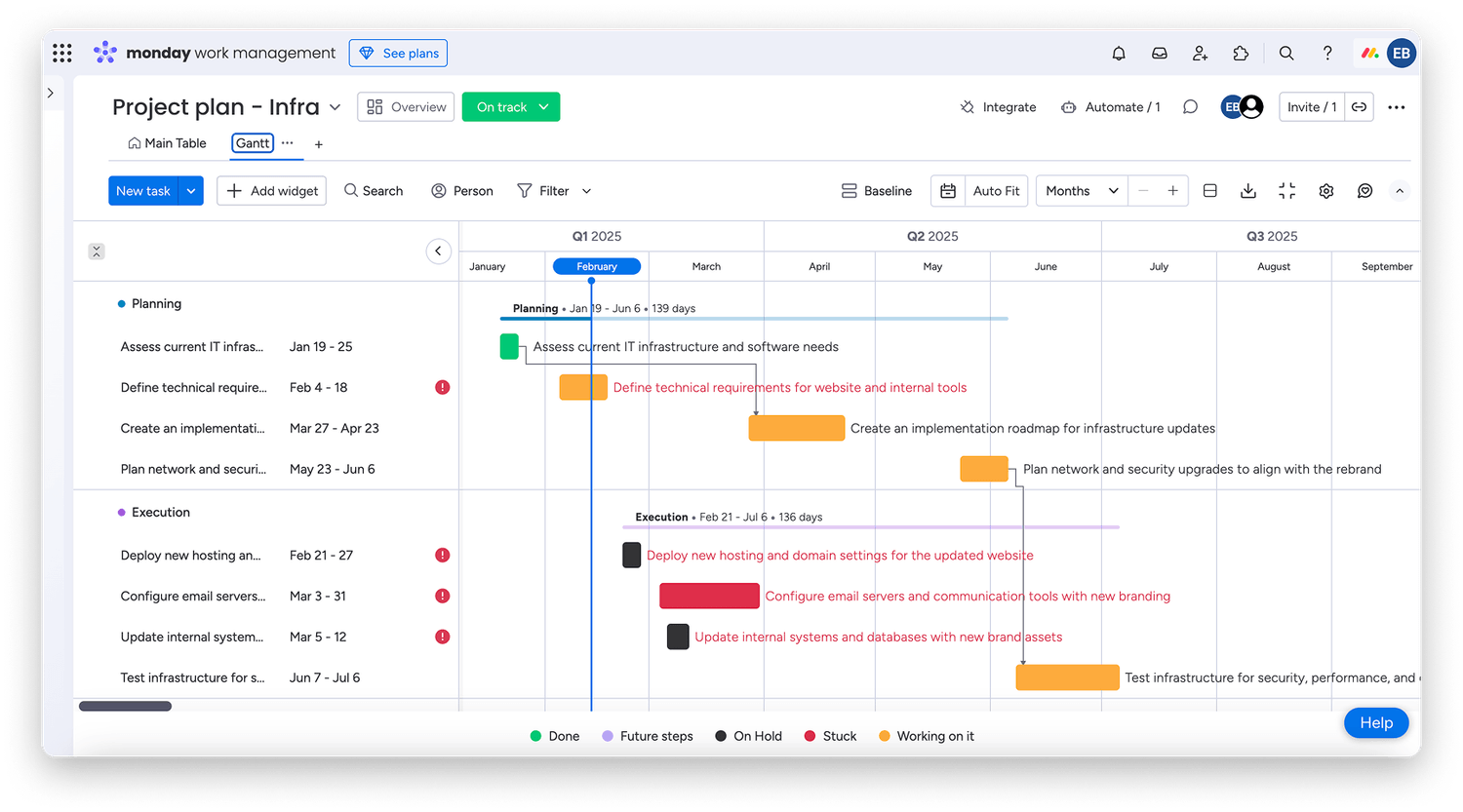
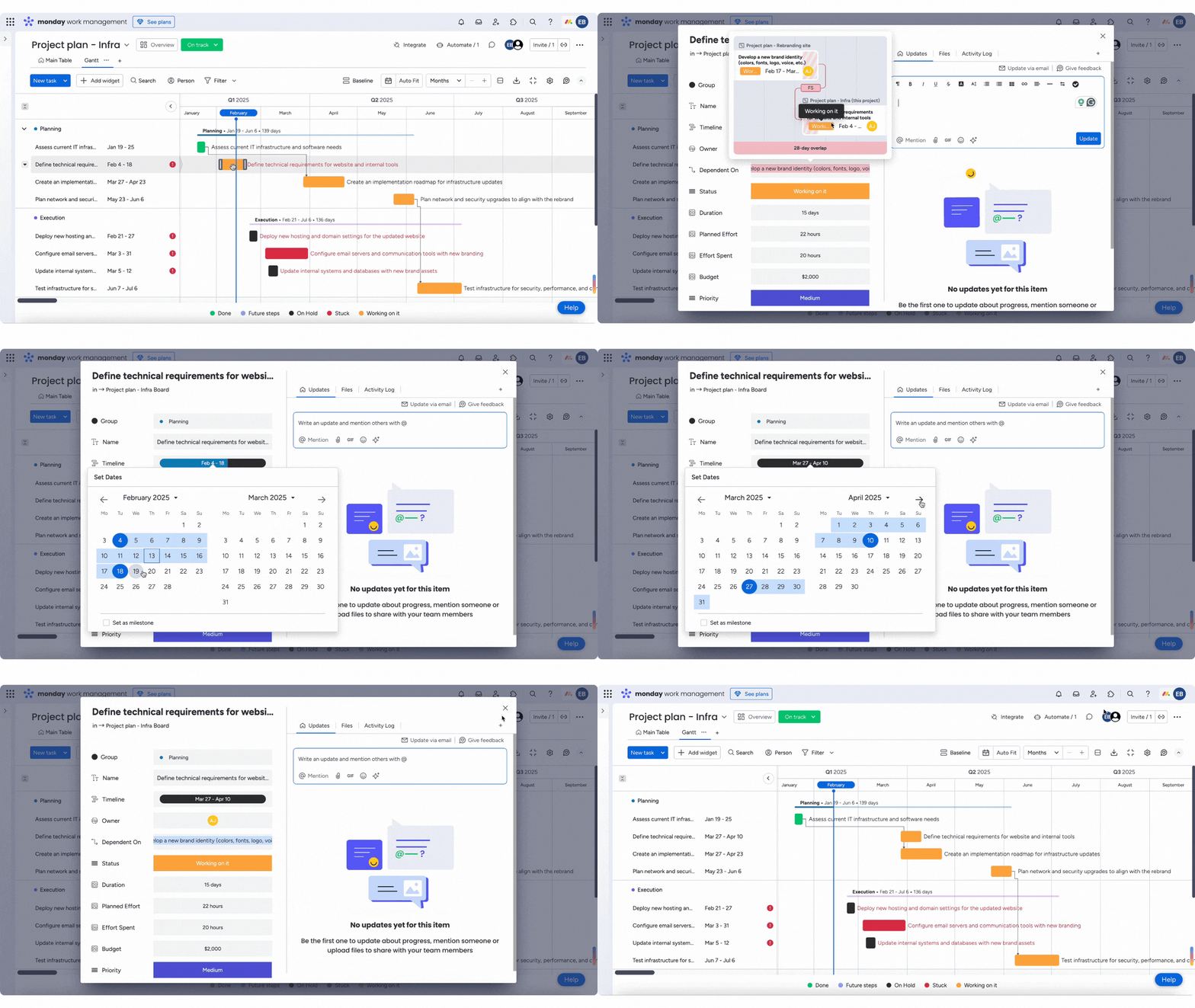
Click the red exclamation point next to a problematic task to see exactly where the conflict lies. You'll get key details, such as the number of overlapping days, allowing you to make informed adjustments.
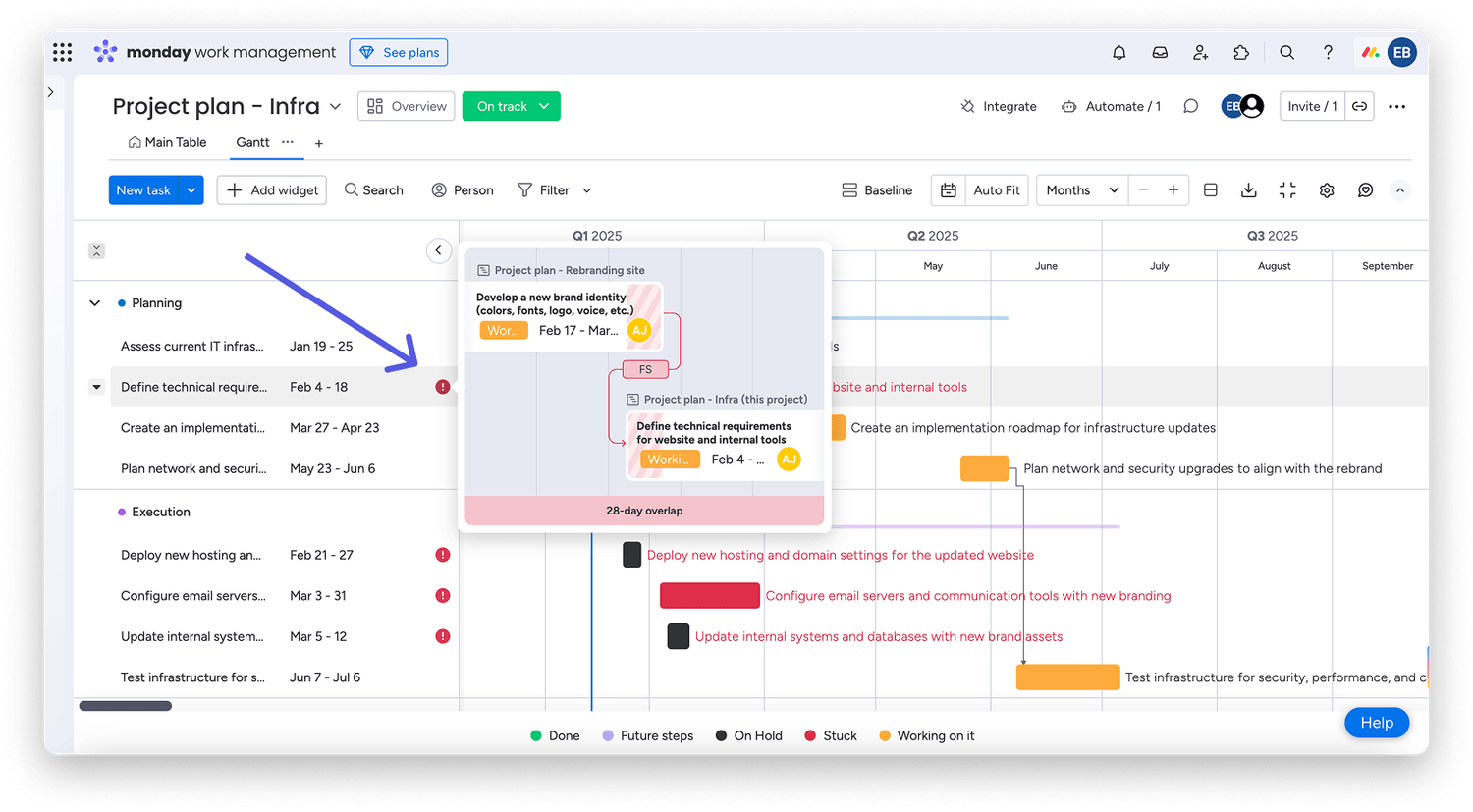
From this view, you can go directly into the item’s card to update the timeline or coordinate with stakeholders as needed.
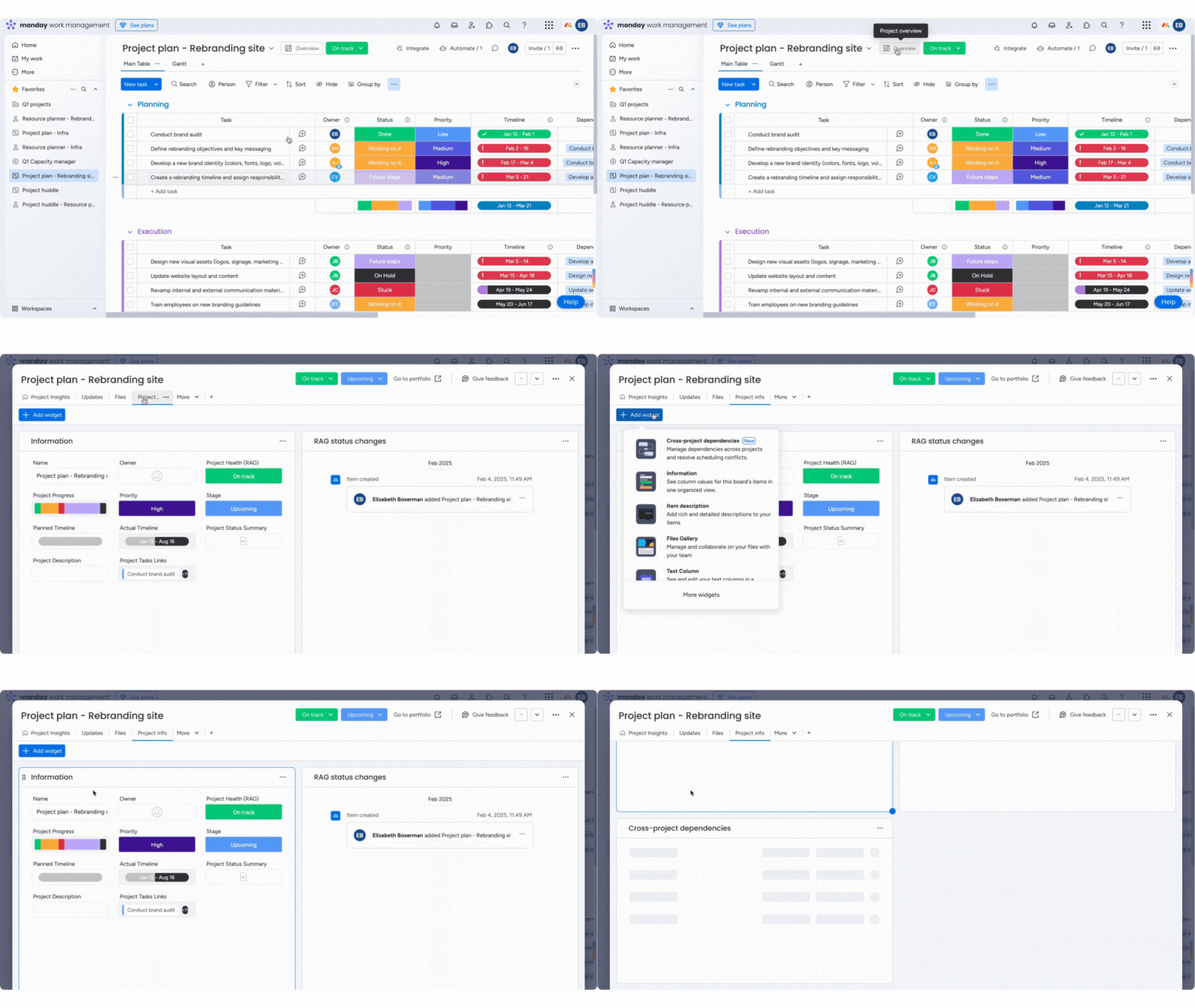
Add a Cross-Project Dependencies widget
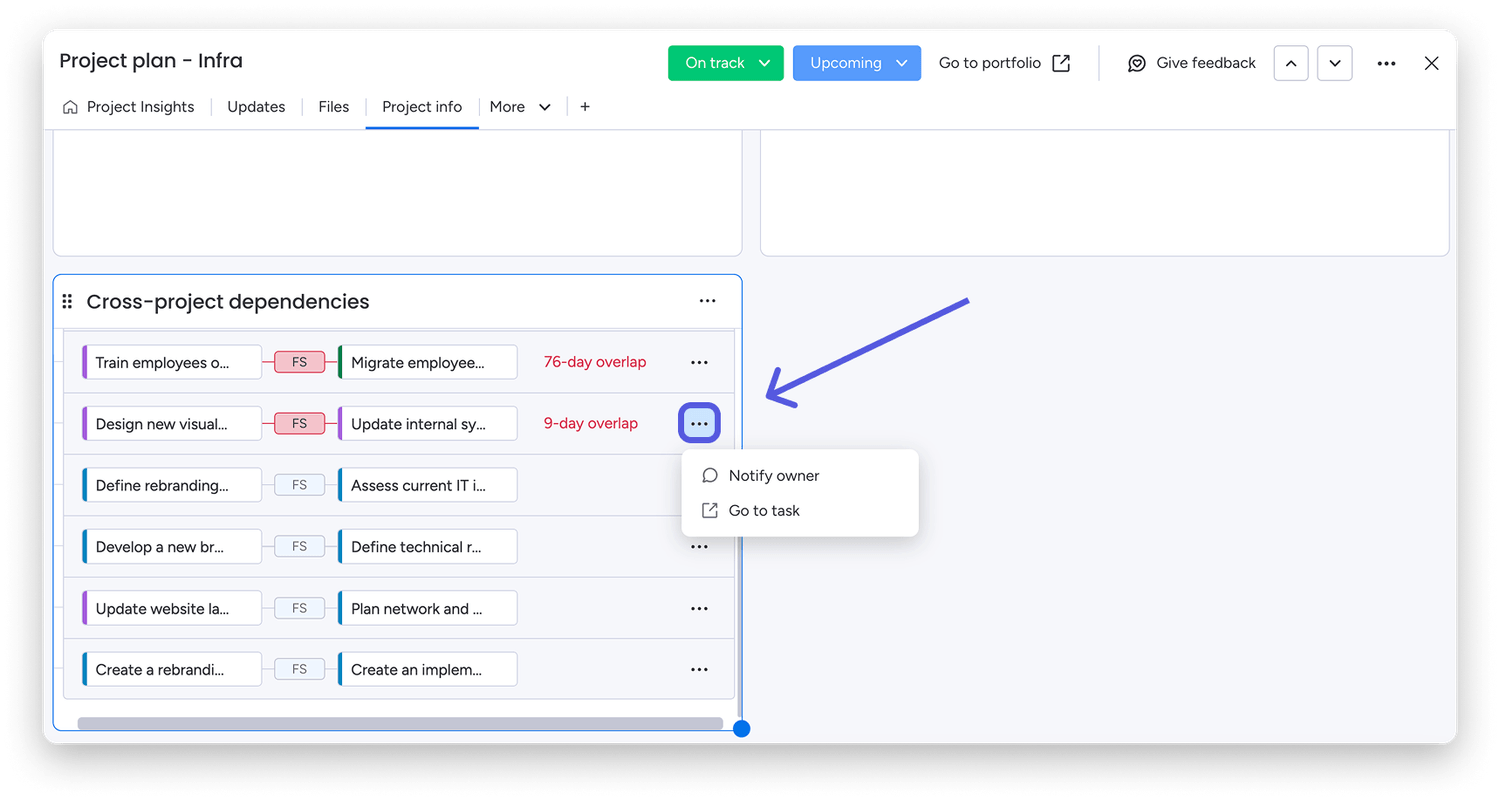
In the Overview section of any project board, head to the Project info tab to add the Cross-Project Dependancies widget. This widget gives you a clear view of how tasks in your project connect to others across your workspace.
Once added, the widget displays all cross-project dependencies, grouped by board. Expand each board to see dependency details and any conflicts.
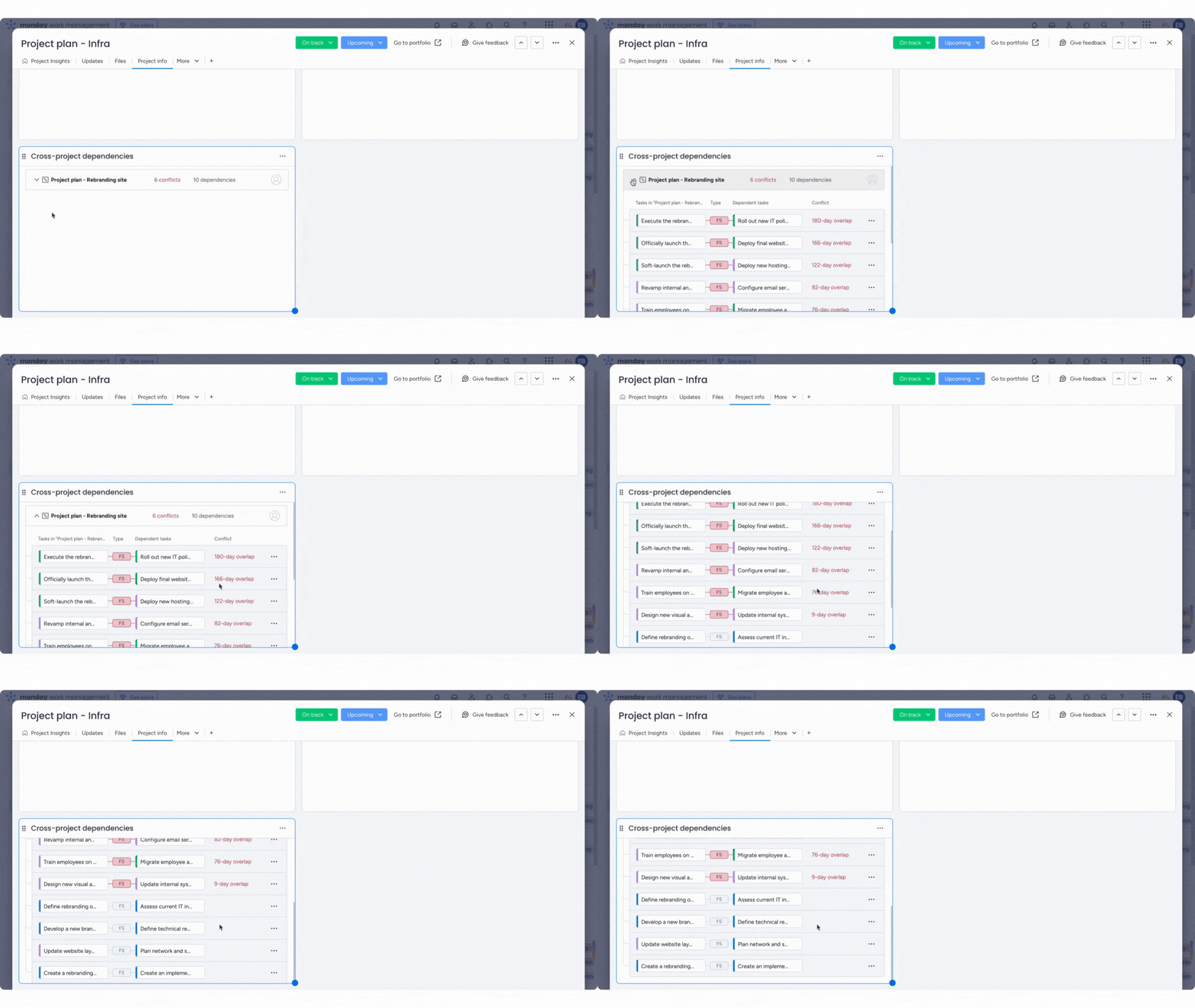
Need to take action? Click the three-dot menu next to a dependency to notiy the task owner about a conflict or jump straight to the item with "Go to task".
With cross-project dependencies, you can stay in control, stay aligned, and execute with confidence!
Who can use this feature:
- Available on monday Work Management
- Available only on Enterprise plans
💡 Stay tuned for more updates in the future!
👉👉Start your free trial with us today: www.achievan.com/mondaydotcom
SHARE


We help teams improve Productivity by implementing no-code software solutions
A Division of
Execute Strategy, Inc.
Connect with Us


Copyright © Execute Strategy Inc. O/A Achievan 2026