
monday.com New Features - How to Stay on Top of Deals with the New Activities Timeline Column in monday CRM
The Activities column gives you more power to track engagement and maintain momentum with your clients on monday CRM. By making the Emails & Activities app timeline immediately visible with a convenient visual on your board, everything you need for success is at your fingertips.
Overview
The Activities column provides a clear overview of activities related to an account or company. Without having to deviate from the board, you and your teammates can visually track engagement, identify gaps in follow-ups, and maintain momentum.
Some of the benefits of this column include:
Faster decision-making. No need to open Emails & Activities for each item—you can see your deal progress at a glance.
Visibility. With color-coordinated visuals, you can easily track interactions you initiated and engagement from your client.
Boost efficiency. This column reduces manual work and loading time when managing deals.
Improved sales rhythm. This column helps your sales team maintain a healthy cadence of outreach and engagement.
Add the column
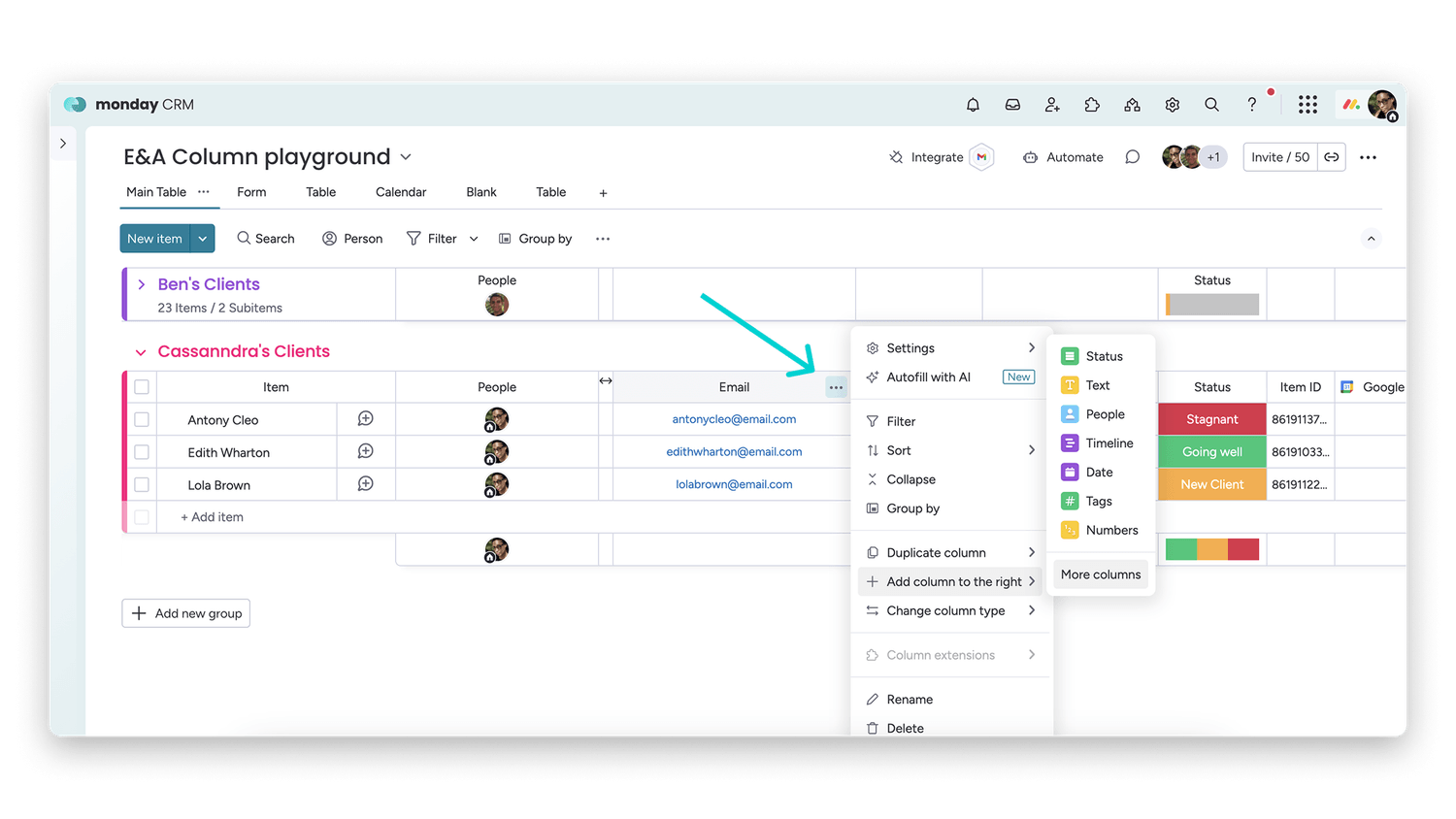
To add a column to your board, choose More columns to open the Column Center:
Search for "Activities" in the Column Center and select Emails & Activities timeline:
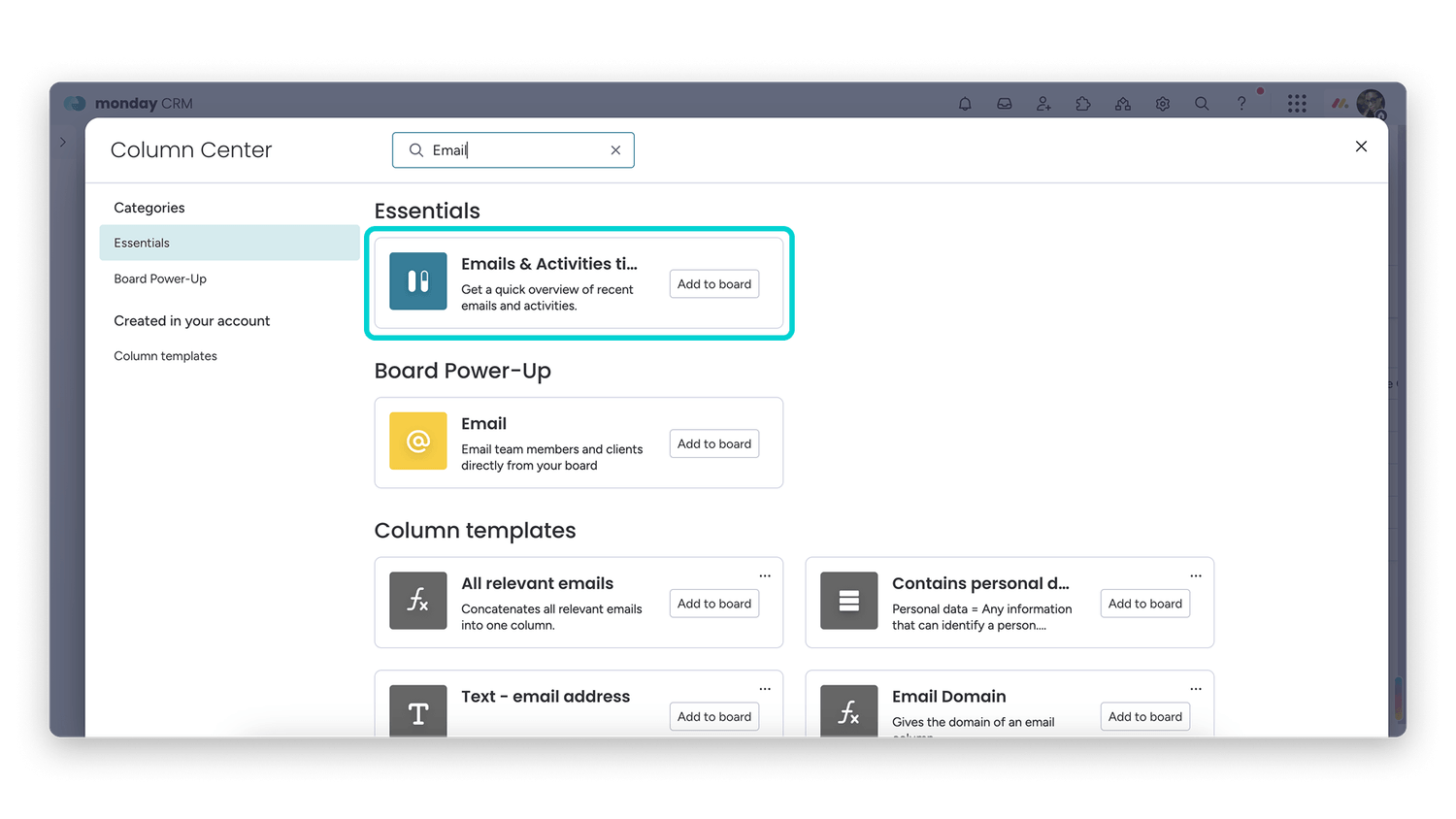
Click Add to board to add the column to your board.
How to use the column
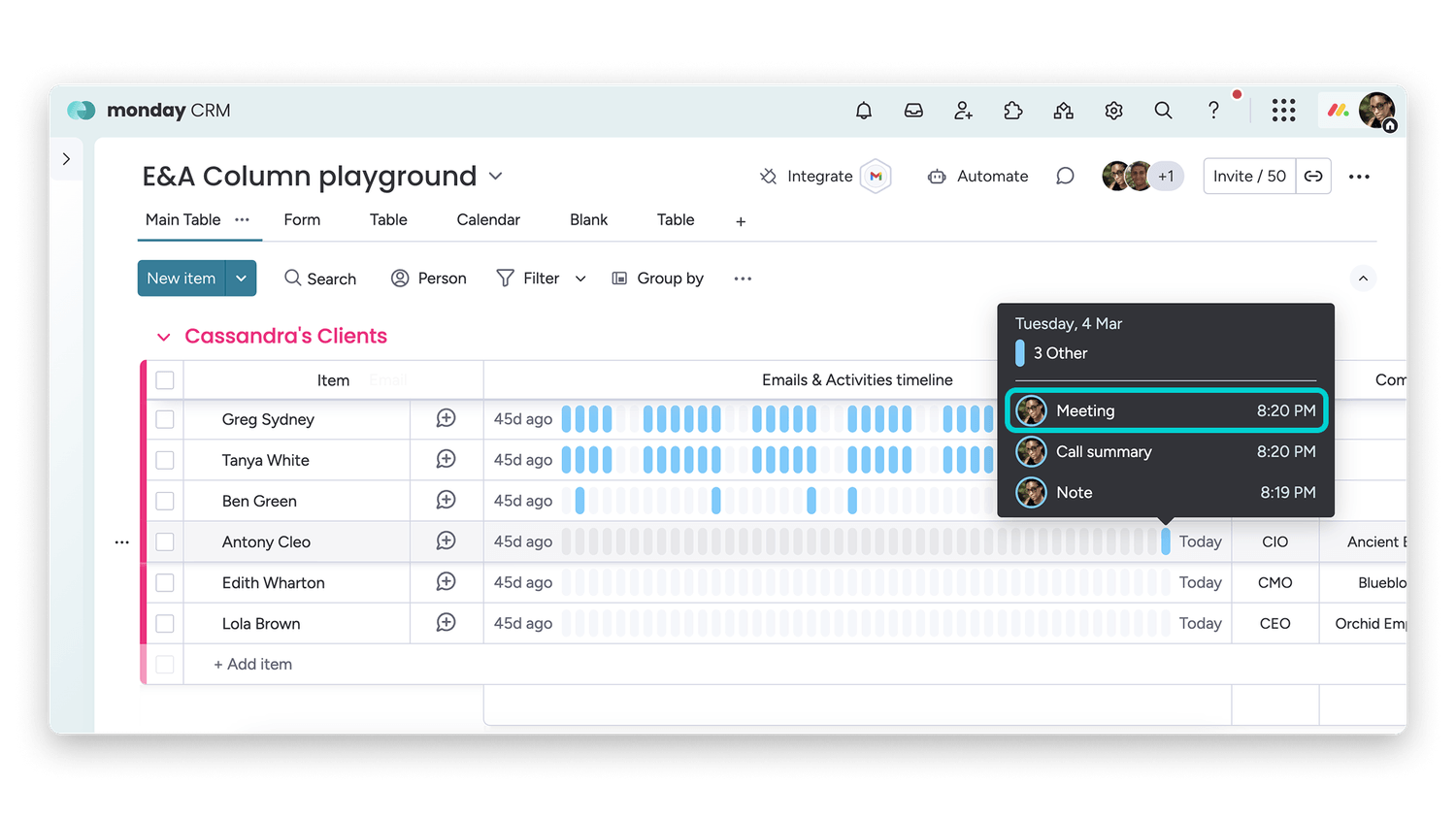
The column will show all activity related to the contact or account. It uses the email in the Email column to pull data from Emails & Activities. The column shows data from the previous 45 days:
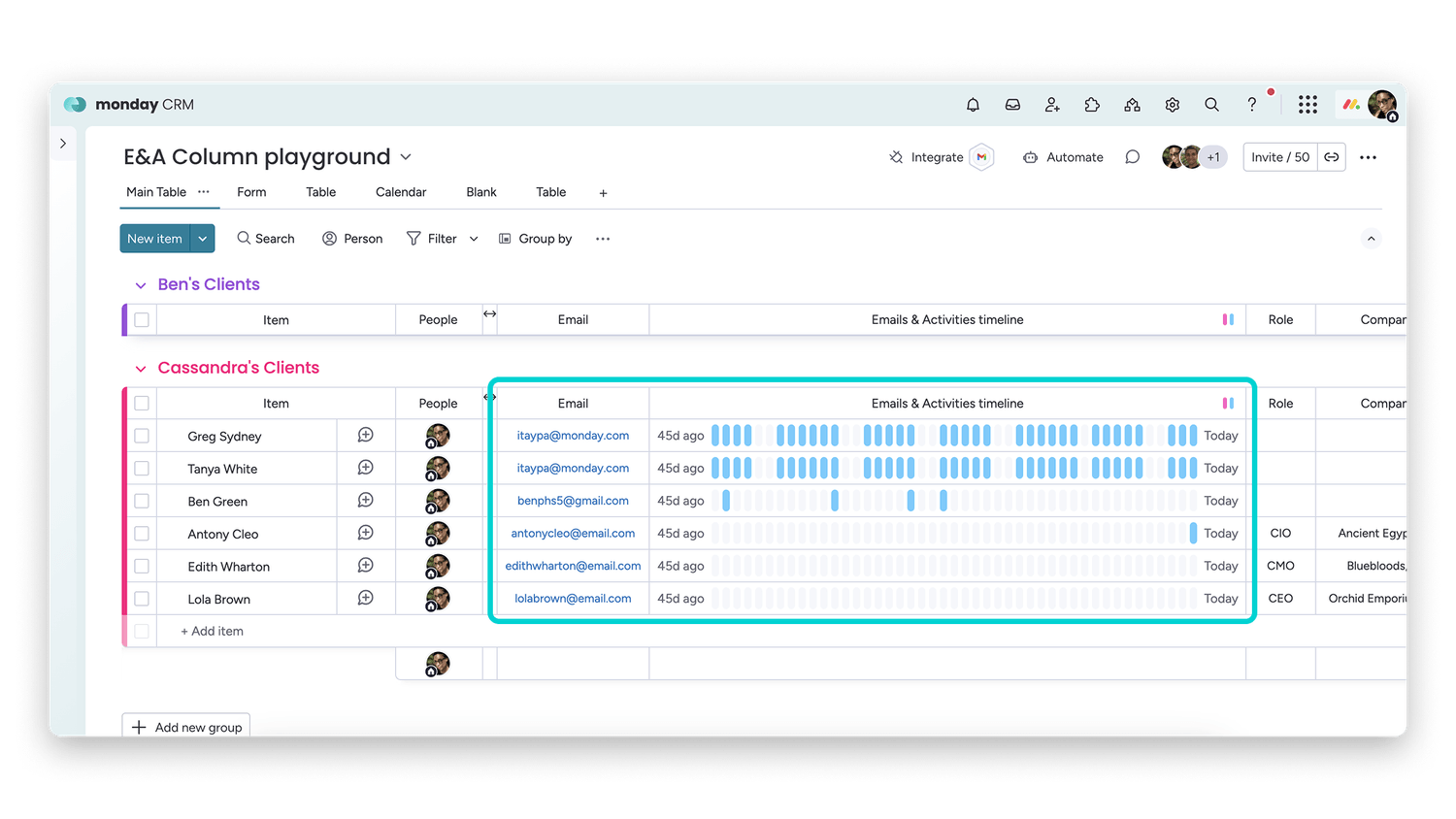
The blue (blue) ticks represent outgoing emails and events.
The pink (pink) ticks represent incoming emails.
When you hover over a tick, you will see details about the related activity:
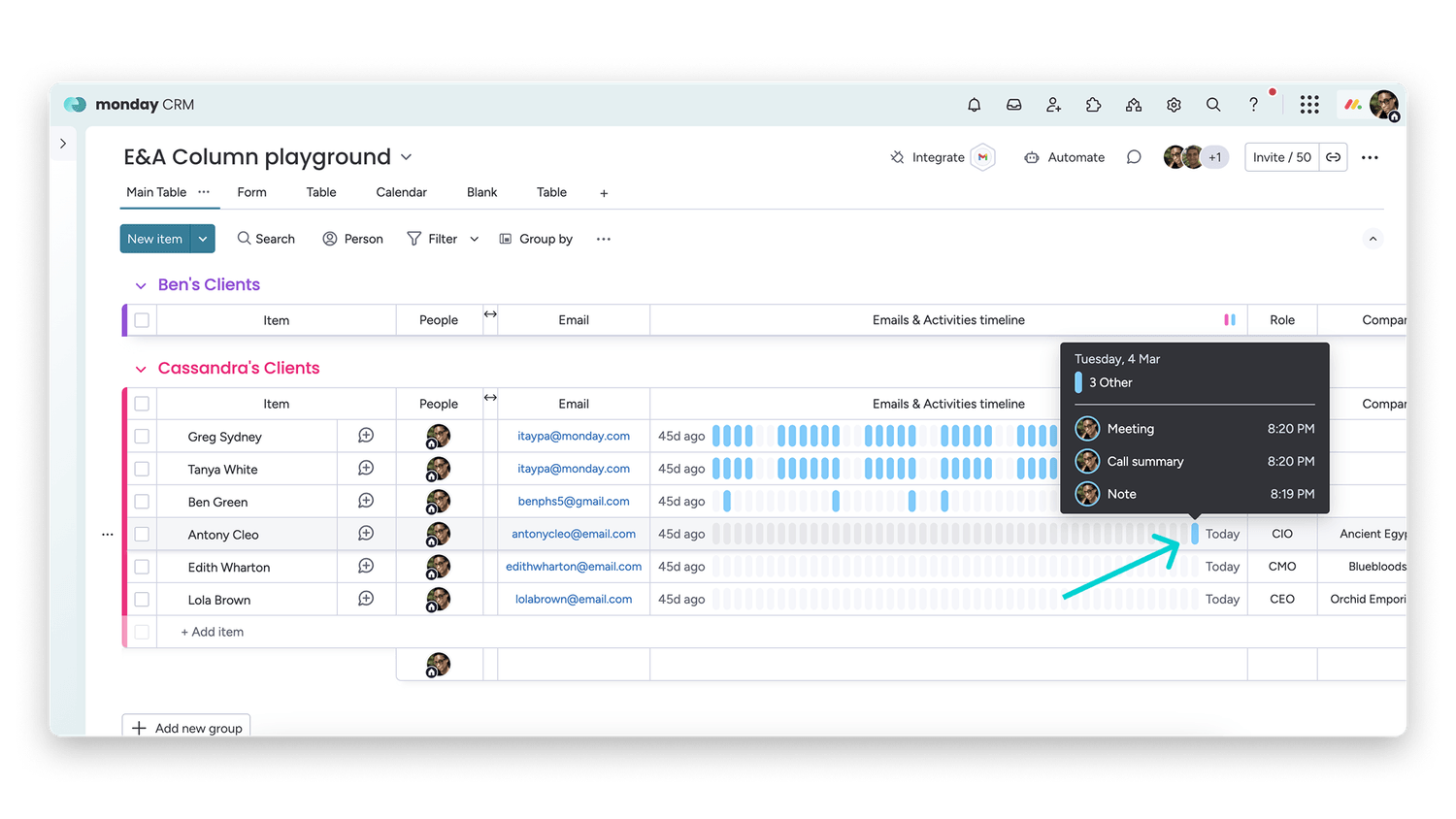
The details include the type of event, the avatar of the teammate who initiated the activity or who was the recipient, and a timestamp:
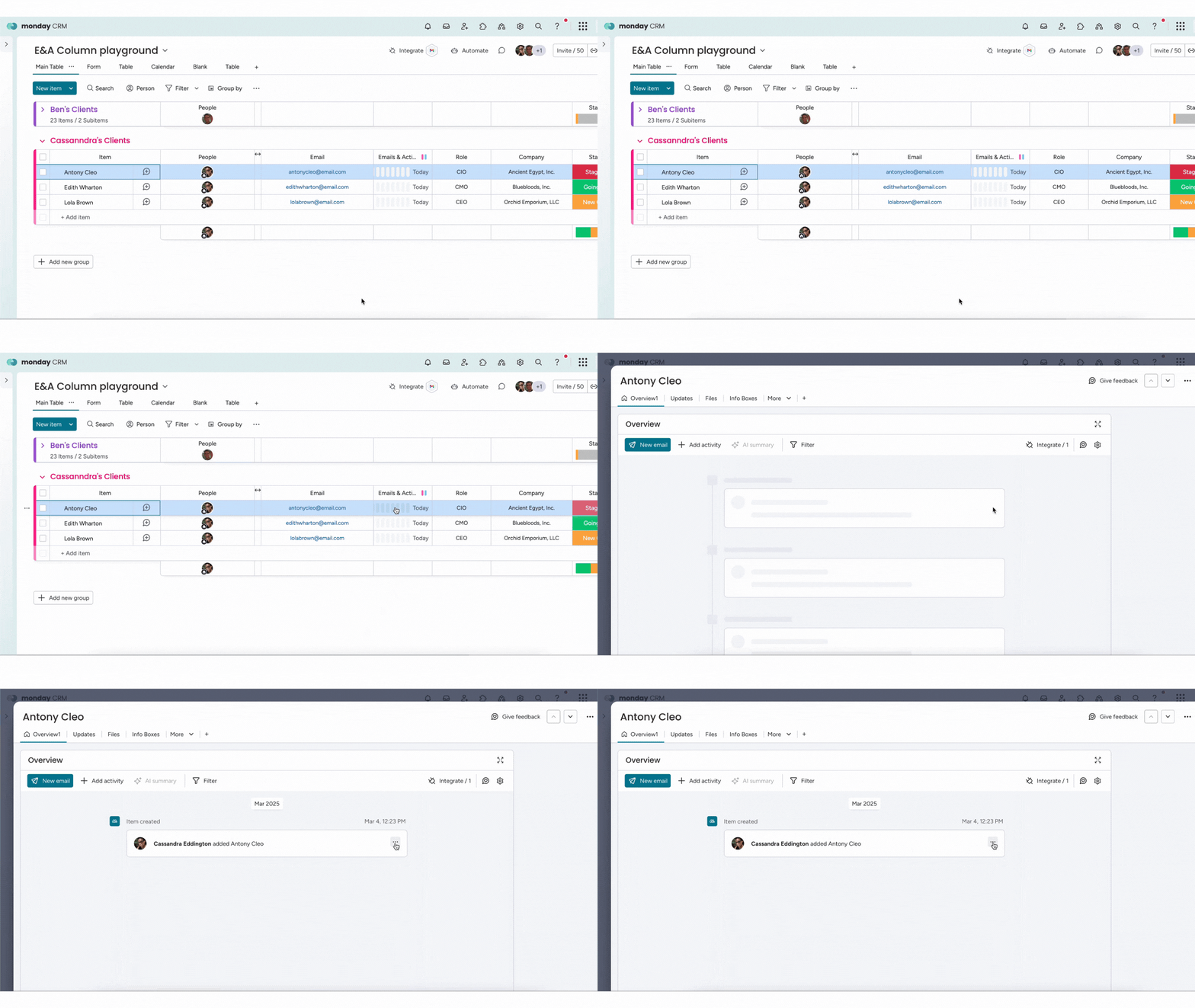
You can click on the Activities column to enter the timeline for the account or contact in the Emails & Activities app:
Future improvements
For now, the Activities column is view only. In the future, we plan to support creating emails and activities directly from the column rather than redirecting to the Emails & Activities app.
Who can use this feature:
- monday CRM users only
- Available on Standard, Pro, and Enterprise accounts
💡 Stay tuned for more updates in the future!
👉👉Start your free trial with us today: www.achievan.com/mondaydotcom
SHARE


Subscribe now.
Sign up for our newsletter to get the most interesting stories of the day straight to your inbox before everyone else
We help teams improve Productivity by implementing no-code software solutions
A Division of
Execute Strategy, Inc.
Connect with Us


Copyright © Execute Strategy Inc. O/A Achievan 2026